Reviewing Network Config Settings
To see the current configuration of a device:
- Discover the unit on the subnet
- Highlight it from the discovered units field
- Click
.Advanced Settings - Click
.Show Reader Info
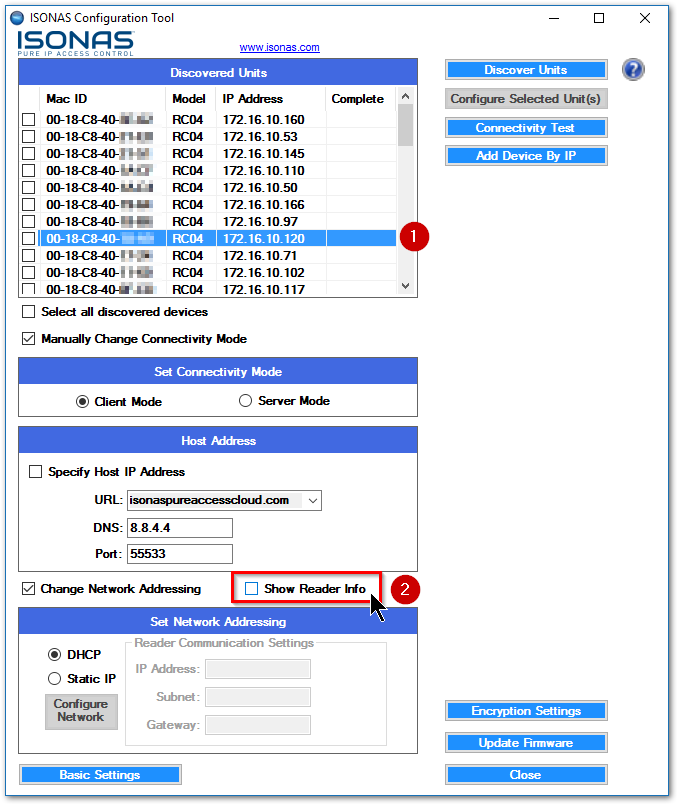
Click the
box. TheShow Reader Info
window will display the configuration settings of the device.Current Information
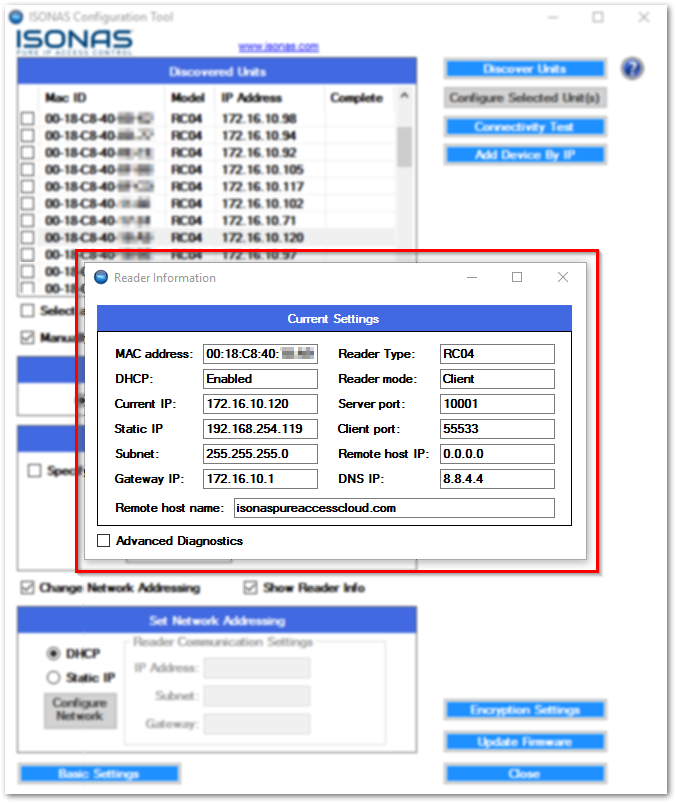
With the
Current Information
window open, you can simply highlight another device in the config tool to quickly display its settings. This is a handy way to compare the configuration settings of multiple units.